Udeler is a third-party desktop application designed to help users download Udemy course videos for offline viewing. Many learners use it to access their favorite courses without needing a constant internet connection. One of the most common questions people ask is whether Udeler can download entire courses at once.
In most cases, the tool is capable of grabbing full course content, including all lectures and sections, depending on availability and platform compatibility. However, its performance is not always consistent due to Udemy updates, restrictions, and security measures. Understanding how Udeler works helps users decide if it fits their learning needs safely and effectively.
Read More: Does Udeler Work on Windows?
What Is Udeler?
Udeler is a third-party desktop tool designed to help users download video lectures from Udemy courses for offline viewing. Unlike the official Udemy mobile or desktop apps, Udeler was created by independent developers and is not an official Udemy product.
Its main purpose is convenience—allowing learners to watch course videos without an internet connection. This is especially useful for people with slow internet, limited data, or those who travel frequently.
However, Udeler is not officially supported by Udemy, and its functionality depends on how Udemy’s platform works at any given time.
Can Udeler Download Entire Courses?
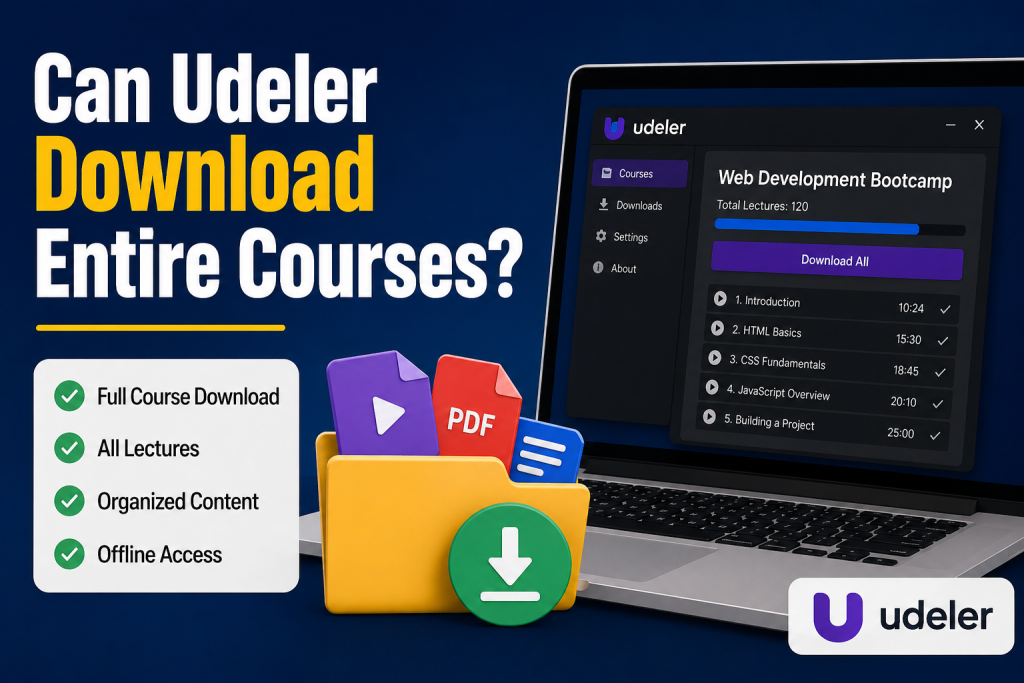
Yes, Udeler is generally capable of downloading entire Udemy courses, including:
- All video lectures in a course
- Course sections and modules
- Sometimes subtitles (if available)
- Course structure (organized folders)
When it works properly, Udeler can scan a course page and allow users to download all available lectures in one go rather than downloading videos one by one.
However, this “full course download” capability is not always guaranteed.
How Udeler Downloads Courses
Udeler works by accessing the course content through your Udemy login session. Once you sign in, it attempts to read the course data and extract downloadable video files.
Here is the general process:
- You log in with your Udemy account
- Udeler fetches your enrolled courses
- You select a course
- It lists available lectures
- You choose download options (or download all)
If successful, it can download the entire course in batches.
But the important part is that Udeler does not own or host the videos—it simply tries to access them through your account permissions.
Limitations of Downloading Entire Courses
Even though Udeler may support full course downloads, there are several limitations:
Not Always Compatible
Udemy frequently updates its platform. When changes happen, third-party tools like Udeler may stop working or break temporarily.
DRM Protection
Some Udemy courses are protected with stronger security or DRM (Digital Rights Management). In such cases, Udeler may not be able to download videos at all.
Login Issues
Since Udeler relies on your Udemy account session, any authentication changes (like two-factor authentication) can cause issues.
Partial Downloads
Sometimes only certain lectures or sections download properly, while others fail due to streaming restrictions or server limits.
No Official Support
If something goes wrong, there is no official customer support from Udemy or Udeler developers.
Is It Legal to Download Courses Using Udeler?
This is one of the most important questions.
Udemy’s terms of service generally allow offline viewing only through official Udemy apps, not third-party tools.
That means:
- Using Udeler may violate Udemy’s Terms of Service
- It may not be legally permitted depending on your region and usage
- It is not endorsed or supported by Udemy
Even if Udeler can download entire courses, users should be careful about how they use the downloaded content.
Legal and ethical use includes:
- Downloading for personal offline study (if permitted)
- Using content you have paid for and are authorized to access
- Not redistributing or sharing downloaded videos
Illegal or unethical use includes:
- Sharing downloaded courses with others
- Uploading content to public platforms
- Selling downloaded videos
Always respect the instructor’s rights and platform rules.
Why People Want Full Course Downloads
There are several reasons why learners search for tools like Udeler:
Offline Learning
Students in areas with unstable internet want offline access to continue learning without interruptions.
Travel Convenience
Downloading an entire course makes it easier to study while traveling or commuting.
Data Saving
Streaming video courses repeatedly can consume a lot of mobile data.
Structured Study
Having all videos downloaded allows learners to organize and study at their own pace.
While these reasons are understandable, it’s still important to use official and approved methods whenever possible.
Official Alternative: Udemy Offline Mode
Udemy itself provides an official offline viewing option through its mobile app. This is the safest and recommended way to download course content.
With the official app, you can:
- Download lectures legally
- Watch offline anytime
- Sync progress across devices
- Avoid compatibility issues
However, downloads are usually restricted to mobile devices and cannot always be transferred or accessed outside the app.
Udeler vs Official Udemy App
Here’s a simple comparison:
Udeler
- Can sometimes download full courses
- Works on desktop
- Not officially supported
- May break with updates
- Legal risks depending on usage
Udemy Official App
- Fully legal and supported
- Stable and secure
- Works on mobile devices
- Limited flexibility compared to third-party tools
Should You Use Udeler?
Whether or not you should use Udeler depends on your priorities.
You might consider it if:
- You need offline access on a desktop
- You understand the risks involved
- You are only using content for personal learning
However, you should avoid it if:
- You want guaranteed stability
- You prefer official and safe tools
- You are concerned about legal compliance
In most cases, the official Udemy app is the better long-term solution.
Common Issues When Downloading Entire Courses
Users often report problems like:
- “Download failed halfway”
- “Only some videos downloaded”
- “Login not working”
- “Course not loading in Udeler”
These issues usually happen because Udemy changes its backend systems or restricts access to video streams.
That’s why relying on third-party tools can be unpredictable.
Conclusion
Udeler can be powerful for downloading entire courses, but it is not perfect or officially supported. It works best as a temporary convenience tool rather than a long-term learning solution. Always prioritize legal and secure methods to access educational content, and ensure you respect the rights of course creators.
If used responsibly, it can help learners study offline—but it should never be used to redistribute or misuse copyrighted material.