Udeler is a popular open-source tool that allows users to download Udemy courses for offline viewing, making it easier to learn without relying on a constant internet connection. Many learners wonder whether they can use Udeler on multiple devices such as laptops, desktops, or even different operating systems.
The answer is yes, but with some important limitations and considerations. Since Udeler works through your Udemy account, it can be installed on more than one device, but it does not offer automatic syncing between them. In this article, we’ll explore how multi-device usage works, its benefits, and what you should keep in mind.
Read More: Does Udeler Work on macOS?
What is Udeler?
Udeler is a free and open-source desktop application designed to download Udemy courses for offline viewing. It allows users to save video lectures directly to their computer so they can watch them without an internet connection.
It is especially useful for students, professionals, and learners who want to:
- Study offline during travel
- Save bandwidth
- Keep a backup of purchased courses
- Learn at their own pace without buffering issues
Udeler is not an official Udemy tool, but it works with Udemy accounts to access purchased content.
Can You Use Udeler on Multiple Devices?
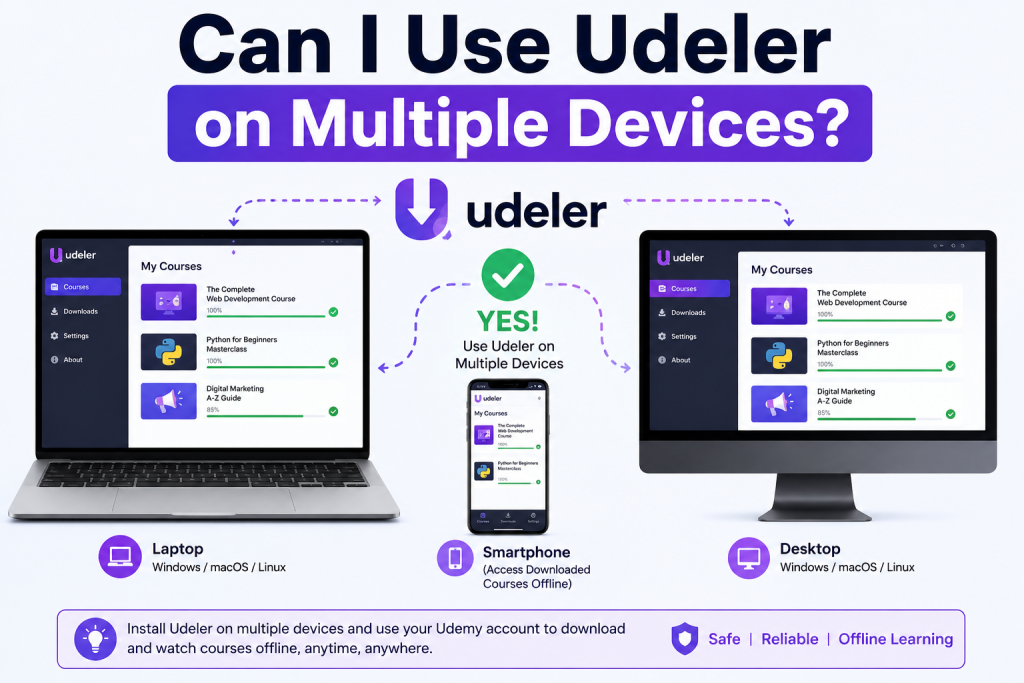
Yes, you can use Udeler on multiple devices, but there are some important conditions and limitations.
Udeler itself does not restrict installation to a single device. You can install it on:
- Windows PC
- macOS laptop
- Linux system
So technically, you are free to install and use it on more than one device.
However, the real limitations come from:
- Udemy account rules
- Login sessions
- Download management
- File storage locations
Let’s break this down in detail.
Using the Same Udemy Account on Multiple Devices
Udeler works through your Udemy account login. That means your ability to use it on multiple devices depends more on Udemy than Udeler itself.
Udemy allows users to log in from multiple devices, such as:
- Laptop at home
- Desktop at office
- Personal notebook or secondary system
So you can use Udeler on multiple devices as long as you log in with the same Udemy account.
However, Udemy may monitor unusual activity, so it’s important to stay within normal usage patterns.
Installation on Multiple Devices
Udeler can be installed separately on each device. You just need to:
- Download the Udeler setup file for your operating system
- Install it normally like any desktop application
- Log in using your Udemy credentials
Each installation works independently. There is no cloud sync between devices in Udeler itself.
That means:
- Downloads on one device will NOT automatically appear on another
- Each device manages its own downloaded course files
- You must manually manage storage and organization
Limitations of Using Udeler on Multiple Devices
While it is possible to use Udeler across multiple systems, there are some limitations you should understand.
No Automatic Sync
Udeler does not sync your downloaded courses across devices. If you download a course on one laptop, you will need to download it again on another device.
Storage Duplication
Each device stores its own copy of the videos. This can lead to:
- High disk usage
- Duplicate files across devices
- Need for manual file management
Login Sessions
If you log in from too many devices repeatedly, Udemy may:
- Ask for verification
- Log out older sessions
- Flag unusual activity
This is rare, but possible if the account is used aggressively across many systems.
Best Practices for Using Udeler on Multiple Devices
If you plan to use Udeler on more than one device, follow these best practices to avoid issues and improve performance.
Use Primary and Secondary Devices
Instead of downloading everything on all devices, choose:
- One primary device for downloads
- One secondary device for occasional access
This reduces duplication and storage problems.
Organize Downloaded Courses
Keep a clear folder structure like:
- Udemy Courses / Web Development
- Udemy Courses / Design
- Udemy Courses / Marketing
This makes it easier to transfer or locate files manually.
Avoid Simultaneous Logins
Try not to use Udeler actively on multiple devices at the same time. This helps prevent:
- Login conflicts
- Account verification issues
- Session resets
Backup Your Downloads
If you switch devices often, keep backups of downloaded courses using:
- External hard drive
- Cloud storage (Google Drive, OneDrive, etc.)
- USB flash drives
Is Udeler Designed for Multi-Device Use?
Udeler is mainly designed as a simple offline downloader, not a cloud-based learning platform.
That means:
- It focuses on downloading content locally
- It does not provide account syncing features
- It does not manage multi-device ecosystems like Netflix or Spotify
So while it works on multiple devices, it is not optimized for seamless cross-device synchronization.
Performance Considerations on Multiple Devices
Using Udeler on more than one system can also affect performance depending on your hardware.
You should consider:
- Internet speed for downloads
- Disk space availability
- CPU usage during video processing
- File organization efficiency
Older laptops may struggle if multiple large courses are downloaded.
Security and Account Safety Tips
When using Udeler across multiple devices, it’s important to keep your account secure.
Here are some safety tips:
- Never share your Udemy login credentials publicly
- Use strong passwords
- Log out from unused devices
- Avoid using unofficial modified versions of Udeler
- Keep your system antivirus updated
These steps help protect your Udemy account from unauthorized access.
Pros and Cons of Using Udeler on Multiple Devices
Pros
- Works on Windows, macOS, and Linux
- Allows offline learning anywhere
- Flexible installation
- Easy to set up on multiple systems
Cons
- No sync between devices
- Duplicate storage usage
- Manual download required on each device
- Possible login limitations if misused
Conclusion
Udeler can be used on multiple devices without major restrictions, as it allows installation on Windows, macOS, and Linux systems using the same Udemy account. However, it is important to remember that Udeler does not provide cloud syncing or shared downloads between devices.
Each system works independently, meaning you will need to download and manage your courses separately on every device you use. While this gives flexibility for offline learning, it also requires better organization and storage management. If used responsibly, Udeler can be a helpful tool for accessing Udemy courses across different devices, especially for users who prefer studying offline.